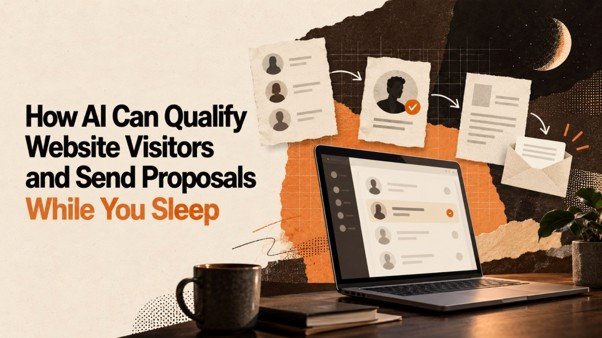
Your website can attract potential customers at any time of day. Someone may visit your service page late at night, submit an enquiry before work, or request information over the weekend. But if your business only processes enquiries during working hours, opportunities may wait until your team is available.
For small businesses, this creates a common challenge. Website visitors arrive with different needs, budgets, timelines, and levels of interest. Some are ready to discuss a project, while others are only researching their options. Manually reviewing every enquiry, asking qualifying questions, and preparing proposals can take valuable time.
AI lead qualification can help businesses organise this process. When connected to suitable website forms, customer relationship management systems (CRMs), and proposal workflows, AI can help interpret submitted information, identify potential requirements, and prepare the next step for a sales conversation.
Some workflows can also prepare proposal drafts or send approved, standardised proposals automatically when predefined conditions are met. However, AI does not automatically know whether every visitor is a genuine buyer, and sending a proposal without reviewing important details may create errors. Good results depend on reliable information, clearly defined rules, and appropriate human oversight.
This guide explains how AI can help qualify website visitors, organise sales enquiries, and streamline proposal workflows, including the practical steps small businesses should consider before automating the process.
What Is AI Lead Qualification?
AI lead qualification is the use of artificial intelligence to help evaluate whether an enquiry is a suitable potential sales opportunity based on information available about the prospect and the business’s requirements.
Traditionally, a salesperson might review a contact form, read an email, check the prospect’s requirements, and ask follow-up questions before deciding whether to schedule a meeting or prepare a proposal.
An AI-supported workflow can assist with parts of this process by analysing submitted information, identifying missing details, categorising enquiries, and recommending a next action.
For example, a website visitor might submit a form asking for help with digital marketing. The form could capture the type of business, the services required, the desired start date, and the visitor’s main objective. An AI system could help summarise those details and flag whether essential information is missing.
The sales team can then focus on enquiries that match its services and have enough information for a meaningful next step.
What AI Can and Cannot Do
AI can assist with repetitive information-processing tasks, but its recommendations should be treated as decision support rather than guaranteed conclusions.
AI can help:
- Summarise website enquiries and identify stated requirements.
- Categorise leads according to predefined business criteria.
- Highlight missing information that may require clarification.
- Recommend a suitable next step based on configured rules.
- Prepare proposal drafts from approved service information.
- Support workflow automation when connected to compatible systems.
AI cannot reliably determine a visitor’s true purchasing intent from limited information alone. It should not invent requirements, promise outcomes, or issue unapproved commercial commitments.
The most useful approach combines AI assistance with clear business rules and human review where necessary.
How AI Can Qualify Website Visitors Automatically
A well-designed lead qualification workflow starts when a visitor takes an action on your website, such as submitting an enquiry form or requesting a consultation. The system then processes the information available and helps determine what should happen next.
The exact workflow depends on the tools and integrations your business uses. The following steps describe a practical model that can be implemented with compatible systems.
Step 1: Collect the Right Information
Your website enquiry form should collect enough information to understand the visitor’s requirements without making the form unnecessarily long.
Depending on your business, useful fields may include:
- Name and business name.
- Contact details.
- Product or service required.
- A short description of the problem.
- Project scope or business requirements.
- Preferred timeline.
- Any essential details needed to assess the enquiry.
For example, a website development company may ask whether a visitor needs a new website, an online store, or improvements to an existing website.
This information gives the sales team a useful starting point. It also reduces the need to ask the same basic questions repeatedly.
Avoid requesting sensitive or unnecessary information. Make sure visitors understand how their information will be used and that your collection practices comply with applicable privacy requirements.
Step 2: Analyse the Enquiry
Once a visitor submits a form, an AI-enabled system can analyse the information and create a structured summary.
For example, an enquiry might state that a business needs an online store, has an existing product catalogue, and wants to launch within a particular period.
AI could summarise the request into categories such as service required, current situation, desired outcome, timeline, and unanswered questions.
This helps a salesperson understand the enquiry without manually reading lengthy submissions each time.
The system should distinguish between information the visitor explicitly provided and details that remain unknown. If the visitor has not supplied a required detail, the workflow should flag it rather than invent an answer.
Step 3: Apply Your Lead Qualification Criteria
Not every enquiry deserves the same next step. Businesses can define qualification criteria based on the services they offer and the information needed to assess a potential opportunity.
Common criteria include:
- Service fit: Does the enquiry relate to a service your business provides?
- Requirement clarity: Is the visitor’s objective sufficiently clear?
- Readiness: Has the prospect indicated an interest in discussing or purchasing a solution?
- Timeline: Is the requested timeframe realistic for your business?
- Required information: Are the details needed to prepare an accurate response available?
These criteria should reflect your actual sales process. A business selling a straightforward service may need only a few qualification questions, while a company handling complex projects may require a more detailed assessment.
AI can help evaluate the submitted information against these criteria, while explicit rules can determine which actions are permitted.
Step 4: Assign a Lead Category
After reviewing the available information, the workflow can place an enquiry into a useful category.
For example:
- Ready for review: The enquiry appears relevant and includes the essential information.
- More information needed: One or more important details are missing.
- Needs a consultation: The request is relevant but requires a conversation before a proposal can be prepared.
- Not a current fit: The request falls outside the services or requirements your business supports.
These categories help your team decide what to do next.
An AI-generated classification should not be treated as proof that a prospect will purchase. A visitor may appear ready but later decide not to proceed. Similarly, a prospect with an incomplete form may still represent a valuable opportunity.
The purpose is to prioritise the next action, not to make unsupported assumptions about a person.
Step 5: Trigger the Appropriate Next Action
Once an enquiry has been categorised, the workflow can trigger the next action based on predefined rules.
For example, a complete and relevant enquiry might be assigned to a salesperson for proposal review. An enquiry missing essential details might receive a request for clarification. A complex project might be routed to a consultation rather than an automatic proposal.
If your CRM and connected tools support these actions, the workflow may create tasks, update lead stages, or send approved messages.
This is how AI-assisted qualification can reduce repetitive administrative work while helping ensure that enquiries do not remain unattended.
How AI Can Prepare and Send Proposals Automatically
Qualifying a lead is only part of the process. Once a prospect’s requirements are understood, the business may need to prepare a proposal describing the recommended service, scope, deliverables, assumptions, and next steps.
AI can help prepare proposal drafts from structured information and approved business content. With suitable integrations and carefully defined rules, the workflow may also deliver a standard proposal without requiring someone to manually send every document.
However, automatic sending is appropriate only when the business has established that the proposal is accurate, complete, and authorised for release.
Step 1: Use Qualified Information as the Starting Point
The proposal workflow should use information that has been collected and verified during lead qualification.
This may include the prospect’s stated objectives, requested services, project requirements, and relevant business details.
If the information is incomplete or contradictory, the workflow should pause and request clarification. Generating a polished document from unreliable information does not make the proposal accurate.
Step 2: Select Approved Service Information
A business can maintain approved descriptions of its services, standard deliverables, project processes, terms, and other relevant material.
AI can use these resources to help assemble a proposal that reflects the prospect’s needs.
For example, a proposal for a website project might include the agreed project objective, confirmed scope, deliverables, implementation steps, responsibilities, and proposed next steps.
The system should not create unapproved guarantees, unsupported claims, or commercial terms that the business has not authorised.
Step 3: Generate a Structured Proposal Draft
Using the qualified enquiry and approved business information, AI can help organise a proposal into clear sections.
A typical proposal may include:
- Prospect and project details.
- Summary of the stated business requirement.
- Recommended service or solution.
- Confirmed scope and deliverables.
- Responsibilities and assumptions.
- Project timeline, if established.
- Commercial terms, when provided and approved.
- Next steps and contact information.
The content should be specific enough to address the enquiry without adding commitments that have not been agreed upon.
Step 4: Apply Approval Rules
Before the proposal is sent, define the circumstances in which automatic delivery is permitted.
For example, a business might allow automatic sending for a standard service package when the prospect’s requirements match an approved template and all required fields are complete.
A customised project, unusual request, or proposal involving significant contractual or financial commitments should normally be routed for human review.
The workflow should also check that the correct recipient and document are selected. A mistake at this stage can expose confidential information or create an unintended business commitment.
Step 5: Send the Proposal Through a Supported Integration
If the chosen systems support document delivery and the relevant permissions are configured, an approved proposal can be sent automatically.
The CRM or workflow should record the action, including the associated lead and proposal status. Where supported, it can also create a follow-up task or track a delivery event.
Do not assume that an AI tool can send proposals simply because it can draft them. Sending requires a compatible delivery method, the necessary permissions, and a properly configured workflow.
The objective is to reduce manual work while keeping proposal accuracy, privacy, and accountability under control.
What Happens When a Visitor Submits an Enquiry at Night?
Imagine a small business that receives website enquiries outside its usual working hours.
A visitor submits a request for help with setting up an online store. The form captures the visitor’s contact details, project objective, and a description of the requirements.
A configured workflow could then:
- Record the enquiry in the lead management system.
- Use AI to summarise the stated requirements.
- Check the enquiry against the business’s qualification criteria.
- Identify any missing details.
- Prepare a suitable response or proposal draft.
- Send an approved standard response if the configured conditions are satisfied.
- Create a task for the sales team to review the opportunity during working hours.
If the enquiry requires clarification or involves a customised project, the workflow can hold the proposal and route the lead for review instead.
This means the business can make progress on routine enquiries while its team is unavailable, without assuming every lead is ready for an immediate proposal.
The phrase “while you sleep” describes the possibility of running configured workflows outside working hours. It does not mean that every enquiry can be qualified correctly or every proposal can be sent without human involvement.
Benefits of AI-Powered Lead Qualification for Small Businesses
AI-assisted lead qualification can be useful when a business receives more enquiries than its team can comfortably process manually. The greatest benefits usually come from reducing repetitive tasks and making the next action clearer.
Faster Initial Enquiry Processing
A structured workflow can process submitted information and prepare an initial summary without requiring a salesperson to read every enquiry from scratch.
This can help the team understand new opportunities sooner, including enquiries received outside normal business hours.
More Consistent Qualification
When every enquiry is assessed using the same defined criteria, the business can reduce inconsistencies caused by different team members using different methods.
The criteria should remain flexible enough to accommodate legitimate exceptions. AI classifications should be checked when the information is unclear or the decision has significant consequences.
Less Repetitive Administrative Work
Sales teams often spend time copying information between forms, spreadsheets, emails, and CRM records.
Connected systems can reduce some of this work by transferring supported fields, summarising enquiries, creating tasks, and updating records automatically.
The time saved depends on the quality of the integration and the complexity of the existing process.
Better Prepared Proposals
AI can help turn structured enquiry details and approved service information into a proposal draft. This gives employees a starting point instead of requiring them to create every document from scratch.
A consistent template can also make proposals easier to review and maintain. Accuracy still depends on verifying the scope, assumptions, recipient, and approved terms.
Improved Follow-Up Coordination
After an enquiry has been processed or a proposal has been delivered, a CRM can help schedule the next action and assign responsibility.
This makes it easier to see which opportunities need attention and reduces dependence on individual memory.
More Visibility Into the Sales Process
When lead statuses and actions are recorded consistently, managers can review how enquiries move through the pipeline.
They may identify where prospects commonly need clarification, which stages create delays, and which follow-up tasks are frequently left incomplete.
These insights can support process improvements, although they do not guarantee an increase in conversions.
How to Set Up an AI Lead Qualification Workflow
Businesses do not need to automate every part of the sales process at once. A focused starting point is often easier to test, improve, and maintain.
1. Map Your Current Enquiry Process
Write down what happens from the moment a visitor submits a form until the business responds, qualifies the lead, and prepares a proposal.
Identify repetitive tasks, common delays, and the points where information is frequently missing.
This gives you a clear picture of which activities are suitable for automation and which require human judgement.
2. Improve Your Website Enquiry Form
Review whether your form captures the minimum information needed to understand a prospect’s request.
Use clear questions, appropriate field types, and a logical order. If the form is too long, visitors may abandon it. If it is too short, the team may need to spend additional time collecting missing details.
A good form balances convenience for the visitor with the information your team genuinely needs.
3. Define Qualification Rules
Decide what makes an enquiry suitable for the next stage.
Specify which details are required, which services your business supports, when a lead should be reviewed by a person, and when the workflow should request clarification.
Do not rely on vague instructions such as “identify the best leads.” Clear criteria make the process easier to evaluate and improve.
4. Prepare Approved Proposal Content
Create reliable source material for the services you offer. Include accurate service descriptions, standard deliverables, approved terms, and the boundaries of what your business can promise.
Keep this information current and assign responsibility for reviewing changes.
AI-generated proposal drafts should be based on this approved material rather than unrestricted assumptions.
5. Connect the Required Tools
Identify which systems need to exchange information. Depending on your workflow, these may include your website form, CRM, document-generation tool, and email delivery system.
Verify that the tools support the required integrations and that the necessary access permissions are in place.
If a particular integration is unavailable, the workflow may need a manual step rather than pretending the action can be completed automatically.
6. Set Approval and Exception Rules
Define which enquiries can progress automatically and which must be reviewed.
For example, a standard request that matches an approved service package may be eligible for an automatically generated response. A complex request with missing information should be routed to a team member.
Set clear rules for duplicate enquiries, incorrect contact details, failed deliveries, and other exceptions.
7. Test Before Launching
Run test enquiries covering common situations, including complete forms, missing fields, irrelevant requests, complex projects, and contradictory information.
Check whether the workflow classifies enquiries appropriately, generates accurate drafts, sends messages only under permitted conditions, and records actions correctly.
Start with a limited workflow, review its results, and expand only when it performs reliably.
Common Mistakes to Avoid When Automating Lead Qualification
Automation can create problems when the workflow is built around assumptions instead of reliable information.
Treating Every Website Visitor as a Qualified Lead
A website visit does not prove that someone intends to purchase. A visitor may be researching a topic, comparing options, or looking for information unrelated to your services.
Use submitted requirements and clear qualification criteria rather than assuming that website activity alone demonstrates buying intent.
Sending Proposals Before Understanding the Requirement
An automatically generated proposal may look professional but still be unsuitable if essential information is missing.
If the scope, deliverables, or assumptions are unclear, request clarification or send the enquiry to a salesperson for review.
Allowing AI to Invent Business Terms
AI should not independently invent contractual commitments, deliverables, guarantees, or commercial terms. Use approved source material and require appropriate authorisation for commitments.
Ignoring Data Privacy and Security
Enquiries may contain personal or confidential business information. Limit access to authorised team members, collect only necessary information, and confirm how connected services handle data.
Your workflow should follow applicable privacy requirements and your own data-handling policies.
Automating Without Monitoring Results
A workflow that worked during initial testing may fail when forms, services, or business rules change.
Review failed actions, incorrect classifications, proposal corrections, and delivery issues. Assign someone responsibility for maintaining the process.
How to Measure Whether AI Automation Is Working
Measure whether automation improves the process, rather than assuming that more automation automatically produces better sales results.
Useful measures include:
- Initial response time: How long it takes for an enquiry to receive an appropriate response.
- Qualification completion: The proportion of enquiries that are reviewed and assigned a suitable next step.
- Missing-information rate: How often enquiries require additional details before they can progress.
- Proposal turnaround time: How long it takes to prepare and deliver an appropriate proposal.
- Human correction rate: How frequently AI-generated classifications or proposal drafts need substantial correction.
- Follow-up completion: Whether planned follow-up actions are completed on time.
- Lead-to-customer conversion: How many suitable opportunities eventually become customers, interpreted in the context of lead quality and the sales cycle.
Establish a baseline before making changes. Then compare results over a reasonable period and review the quality of outcomes alongside the speed of processing.
A shorter proposal turnaround is useful only if proposals remain accurate and relevant. Similarly, a higher volume of automated messages is not meaningful if those messages do not help prospects make progress.
Using HelpingHands by VisionaryCue for Your Lead Management Workflow
Small businesses exploring a more organised approach to lead management can start with HelpingHands by VisionaryCue and investigate its LeadTracker offering.
The first step is to determine which tasks your business needs to organise or automate. You might need a central place to track enquiries, a clearer sales pipeline, or a more consistent process for assigning follow-up tasks.
Before implementing an AI-enabled workflow, verify the current capabilities of the selected platform, including supported integrations, automated actions, data handling, and proposal-related functionality. Do not assume that every feature described in a general AI workflow is available in every CRM.
A practical implementation plan should define:
- What information the website collects.
- How the business qualifies enquiries.
- Which tasks can be automated safely.
- Which proposal types require approval.
- How actions and exceptions are recorded.
- Who reviews performance and maintains the workflow.
Starting with one well-defined process makes it easier to identify genuine benefits and avoid introducing unnecessary complexity.
Conclusion
AI can help small businesses process website enquiries, qualify leads against clear criteria, prepare proposal drafts, and coordinate follow-up activities outside normal working hours.
The most effective workflows combine three elements: reliable information from the visitor, clear rules for deciding what happens next, and suitable automation tools connected to the business’s existing systems.
Start by improving your enquiry form and defining your lead qualification criteria. Then automate routine tasks such as summarising enquiries, creating follow-up reminders, and preparing standard proposal drafts. Introduce automatic proposal delivery only when the information is complete and the proposal meets your approval rules.
With careful planning, AI can reduce repetitive administrative work and help your team focus on meaningful customer conversations. The goal is not to remove people from sales. It is to help them spend less time organising information and more time understanding customer needs.
Frequently Asked Questions
1. What is AI lead qualification?
AI lead qualification uses artificial intelligence to help evaluate website enquiries against defined business criteria. It can summarise requirements, identify missing information, categorise leads, and recommend the next action.
2. Can AI qualify website visitors automatically?
AI can help qualify visitors who submit information through website forms or other supported channels. Its assessment depends on the information collected, the qualification rules, and the capabilities of the connected tools.
3. Can AI send proposals without human involvement?
Some workflows can send approved, standardised proposals automatically when all required conditions are met. Customised, incomplete, or commercially sensitive proposals should be reviewed by an authorised person.
4. How does AI prepare a sales proposal?
AI can use structured enquiry information and approved business content to draft sections describing the prospect’s requirements, recommended services, scope, deliverables, and next steps. The proposal should be checked for accuracy before it is sent.
5. What information should a website collect for lead qualification?
Depending on the business, useful information may include contact details, the service required, the prospect’s objective, project requirements, and desired timeline. Collect only the information necessary to assess the enquiry.
6. Is AI lead qualification suitable for small businesses?
Yes. It can be useful for small businesses that receive regular enquiries and want to organise information, reduce repetitive tasks, and make follow-up more consistent. The workflow should match the business’s actual needs and available resources.
7. Does AI lead qualification require a CRM?
A CRM is not essential for every basic AI workflow, but it can help centralise lead records, track sales stages, assign responsibilities, and schedule follow-ups. The exact setup depends on the tools being used.
8. How can a business prevent AI from sending incorrect proposals?
Use approved proposal templates, validate required fields, define strict sending rules, test common scenarios, and require human approval for complex or high-impact proposals. Keep a record of generated and delivered documents.
9. Can AI respond to website enquiries outside business hours?
Yes, where the website, AI service, and connected communication tools support the required workflow. Automated responses can acknowledge enquiries or request missing information, while complex requests can be queued for a team member.
10. How can a business measure the success of AI sales automation?
Monitor response time, qualification completion, proposal turnaround, correction rates, follow-up completion, and conversion outcomes. Evaluate accuracy and customer experience alongside time saved.